Choosing the perfect color is the heartbeat of any creative project, whether you’re a web developer, graphic designer, or digital artist. But juggling color formats, creating harmonious palettes, and generating gradients can often break your creative flow.

Enter ColorSmith—a simple yet powerful color management application built for Linux users who demand precision and elegance. If you work with colors, this free tool is about to become your new best friend.
Here’s a deep dive into why ColorSmith is the modern color companion you’ve been waiting for.
🎨 Pick Colors with Unmatched Precision
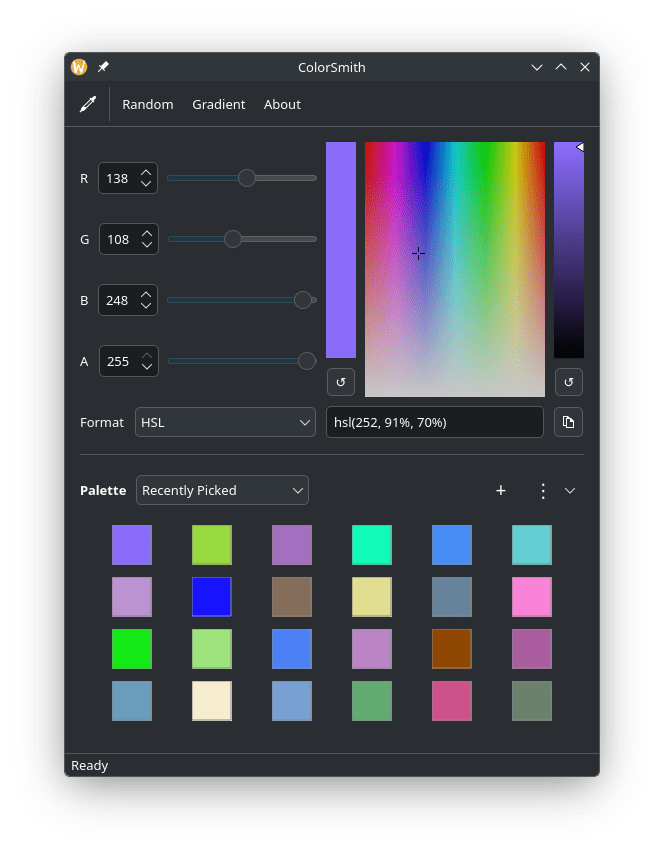
ColorSmith makes capturing the exact color from your screen effortless, thanks to its native portal integration. But it goes far beyond a simple eyedropper tool. Its intuitive interface offers multiple ways to find and refine your colors:
- Interactive HSV Color Plane: Navigate a vast spectrum of colors visually and select the perfect hue and saturation with a single click.
- Brightness Slider: Fine-tune the luminosity of your chosen color instantly.
- RGBA Support: Work with transparency like a pro, thanks to full support for the alpha channel.
- Random Color Generator: Stuck in a creative rut? Let ColorSmith surprise you with a random color to spark new inspiration.
🔄 Seamless Color Conversion
In the digital world, colors speak many languages—HEX, RGB, RGBA. ColorSmith acts as your universal translator. You can instantly convert your selected color between these essential formats. And with one-click clipboard support, copying the exact code you need for your CSS, design software, or project file is instantaneous.
🌈 Build Stunning Gradients Visually
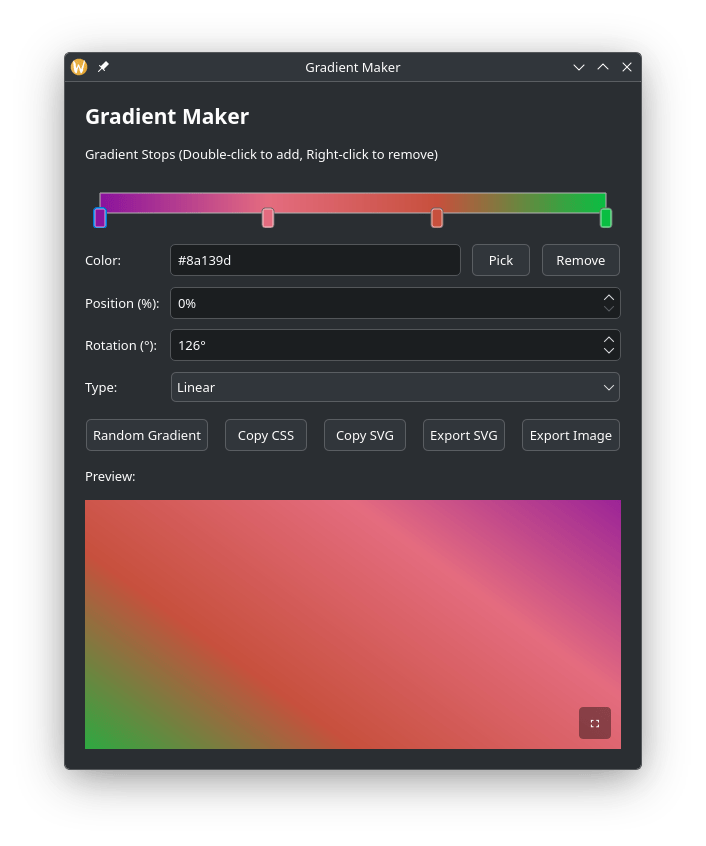
This is where ColorSmith truly shines. The built-in Gradient Maker is a powerhouse for creating everything from subtle background fades to complex, multi-stop color transitions.
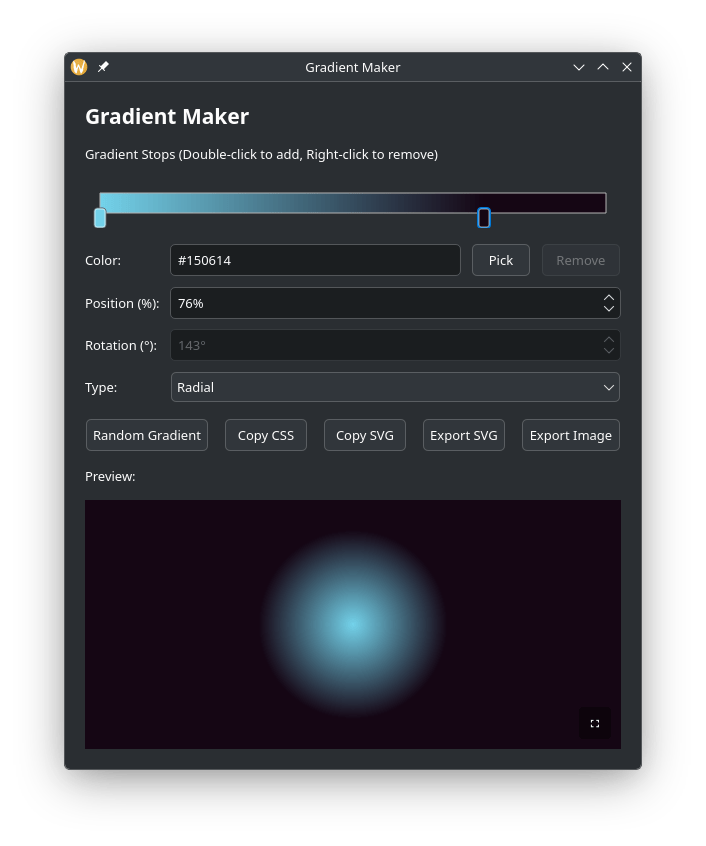
- Linear & Radial Gradients: Create both fundamental gradient types with ease.
- Multi-Stop Control: Add, remove, and adjust as many color stops as you need to craft the perfect blend.
- Precise Control: Rotate linear gradients from 0 to 360 degrees for exact orientation.
- Export-Ready Output: Once your gradient is perfect, you can copy it as CSS code for web projects, export it as a scalable SVG, or save it as a PNG image with custom dimensions.
🎚️ Master Your Palettes
Organization is key in any creative workflow. ColorSmith offers robust Palette Management features to keep your colors in check:
- Create & Manage Palettes: Build multiple named palettes for different projects.
- Quick Add: Instantly add your current color to a palette with one click.
- Smart Extraction: Generate a complete color palette directly from an image using advanced K-means clustering—perfect for building themes from photos or logos.
- Import/Export: Save and share your palettes by importing or exporting them in JSON format.
- Add Names: Give your colors friendly, memorable names for easy reference.
💡 An Interface Designed for You
ColorSmith is built on Qt, providing a clean, modern, and responsive interface. It’s packed with thoughtful features that make it a joy to use every day:
- Precision Controls: Fine-tune your colors with detailed RGB sliders and spin boxes.
- Keyboard Shortcuts: Keep your hands on the keyboard and your eyes on the canvas with comprehensive shortcuts for every action.
- Remembers Your Flow: ColorSmith saves your last used color and window geometry, so you can pick up right where you left off.
Ready to Transform Your Workflow?
ColorSmith is a free, open-source application available for Linux. It’s more than just a color picker; it’s a complete color studio designed to streamline your creative process, from the first spark of inspiration to the final export.
Ready to give it a try?
You can download ColorSmith and find more information on its official product page: ColorSmith Product page
Colorsmith is available for Linux and can be installed via popular package stores like Snapcraft and Flathub — making it accessible for users across many distributions.
ColorSmith Source Code
ColorSmith on Github: https://github.com/keshavbhatt/ColorSmith
Have you tried ColorSmith or do you have a favorite color tool? Let us know in the comments below.