 Paraphrase - offline AI writing
Private AI grammar checker, rewriter and smart reply writer that runs offline
Supported OS:
Linux
Screenshots
Description
Paraphrase – offline AI writing for Linux
Private AI grammar checker, paraphrasing tool, and smart reply writer that runs entirely on your own computer. Select text in any app, press a shortcut, and put the result back where the text was, or use its window. No account, no cloud service, no usage data, and no internet once the model is downloaded: nothing you write leaves the machine.
Fix and improve your writing
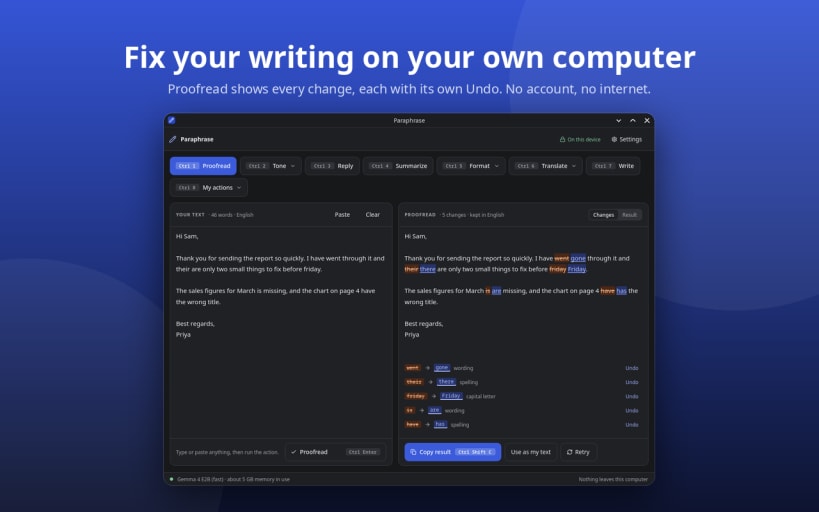
- Proofread – fixes spelling, grammar, and punctuation. Every change is shown, and each one has its own Undo, so you keep control of the final text.
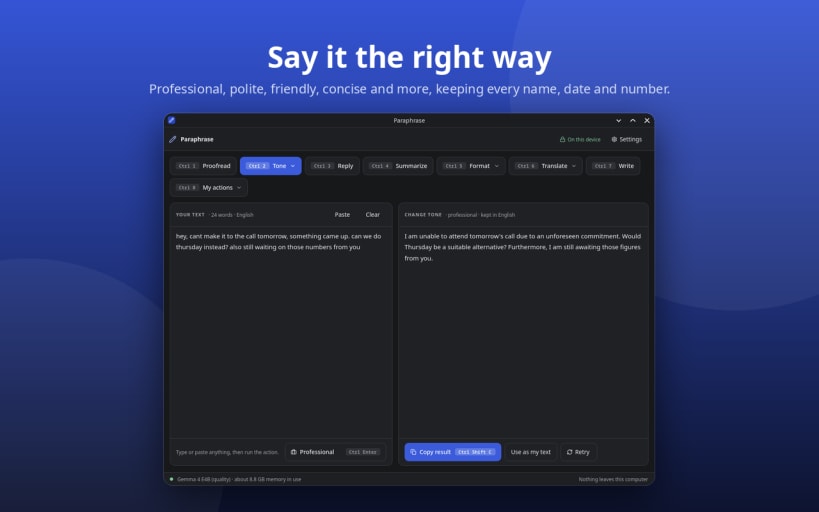
- Change tone – rewrites a text as Natural, Professional, Polite, Friendly, Casual, Confident, Concise, Elaborate, Social post, or Emojify, keeping every name, date, number, and the original language and script.
- Natural tone – strips the habits of AI writing (hype, stock phrases, long dashes, lists of three) so a draft reads like a person wrote it, with every fact kept.
- Summarize – the point of a long email, document, or message.
- Format – lays plain text out as bullet points, a table, an email, or Markdown (headings, numbered steps, code marks, tables) ready to paste into GitHub, Notion, or Obsidian.
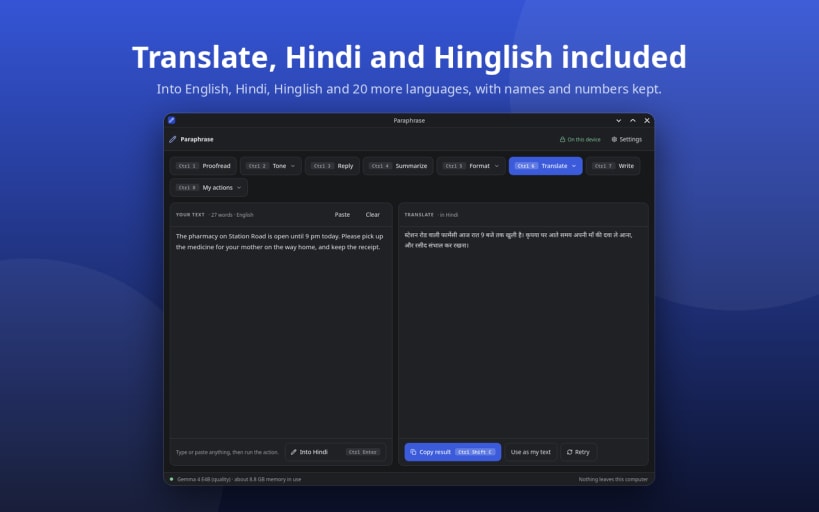
- Translate – into English, Hindi, Hinglish, and 20 more languages, written the way people use the language today.
Reply and write for you
- Smart reply – three quick replies to a message you received: thanks, wishes, news, and questions are answered for what they say.
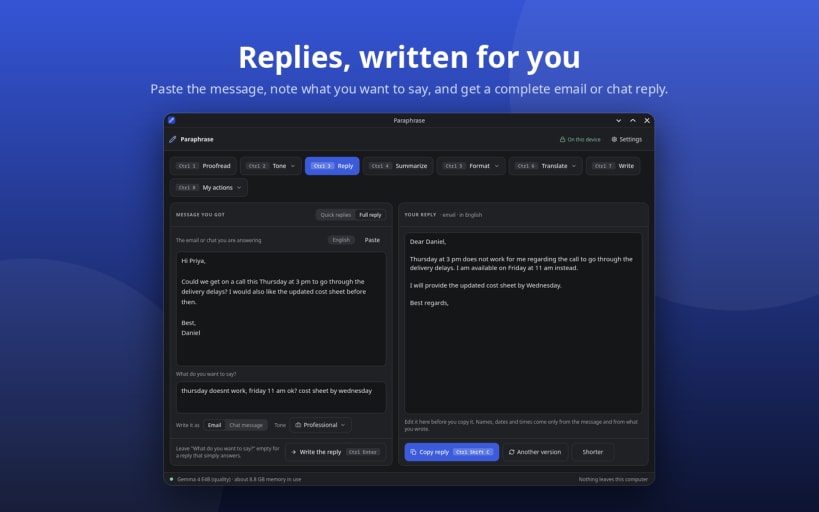
- Full reply – a complete email or chat reply from a few words of yours.
- Write – an email, a message, a social media post, or a note from a short description.
- My actions – your own instructions, saved as actions of their own and used like the built-in ones.
Works where you write
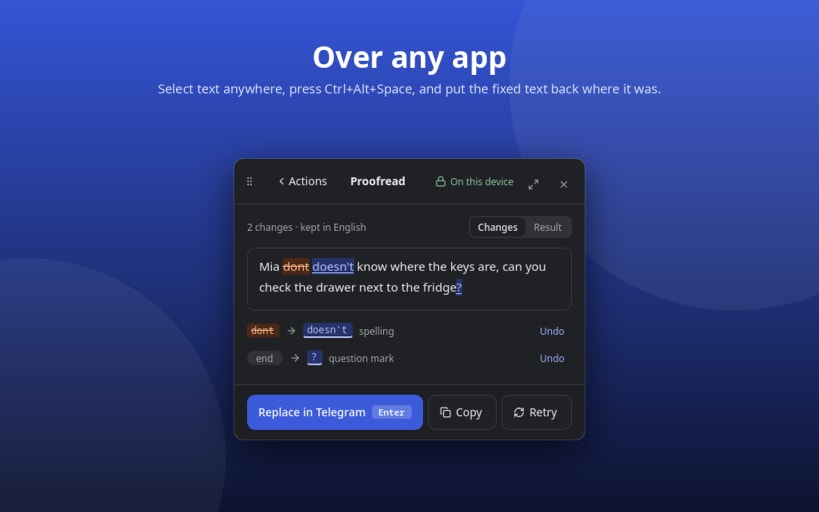
- Over any app – a global shortcut (Ctrl+Alt+Space by default) opens a popup on the selected text and pastes the result back. Works on KDE Plasma (Wayland and X11); GNOME support is in progress.
- In its own window – paste or type, pick an action (Ctrl+1 to Ctrl+8), copy the result. The window works on every desktop.
- Optional history – off by default. If you turn it on, it is encrypted with a key kept in your keyring.
- Starts with your session – optional autostart, so the shortcut is ready after login.
Private by design
- Open models (Google Gemma 4) run locally through llama.cpp on your CPU, or GPU where supported.
- The model is downloaded once from its maker, at a fixed version, and checked against its published hash before use. Downloading a model is the only time Paraphrase goes online.
- No telemetry, no analytics, no crash reporting.
Choose a model for your computer
The first run offers the models that fit your machine, and you can add, remove, or switch models any time in Settings:
- Fast – Gemma 4 E2B, 3.4 GB download, runs on 5 GB of memory.
- Quality – Gemma 4 E4B, 5.2 GB download, needs 8 GB and writes better replies and drafts.
You might also be interested in

Glate - Translation/Text to Speech tool
Freemium
Google translator for Linux Desktop
Linux

Torrhunt - Torrent Search Engine
Freemium
Torrent Browser & Search Engine
Linux
Windows

Ultimate Media Downloader
Freemium
Online video & audio downloader for Linux, 1450+ websites support
Linux

ColorWall - Browse & Download Wallpapers
Freemium
Browse & Download Free Ultra HD wallpapers for Desktop
Linux